
After a project has been exported from the MCU Simulator Online, it can be read by the e² studio Integrated Development Environment which has been installed in a PC environment. You can then start to evaluate the project on a real board.
Refer to the following pages for an overview of the products and the method of downloading. Each page also includes a link to the free evaluation edition of the given IDE.
Descriptions of porting to the e² studio are given below.
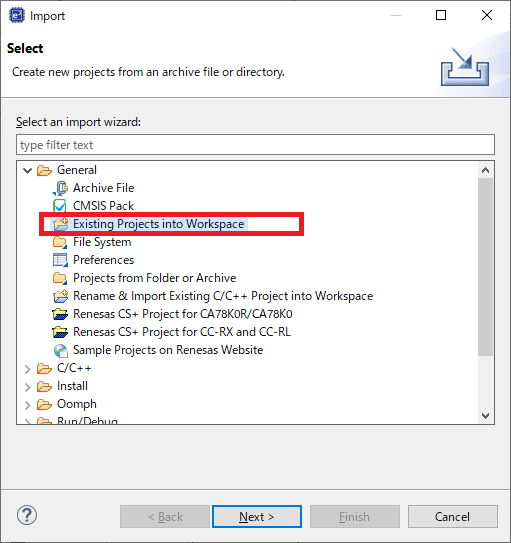
After starting the e² studio, select [Import…] from the [File] menu to produce the [Import] dialog box. Select the [Existing Projects into Workspace] import wizard, and click on the [Next] button.
Select the project file (*.zip) which you exported from the MCU Simulator Online against [Select archive file], and click on the [Finish] button.
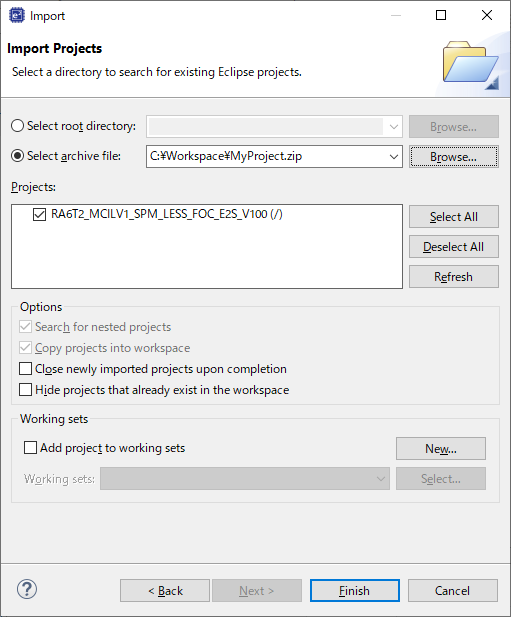
You have now completed importing the project to the e² studio.